Run of Show Template for Brand Activations and Booths
A run of show template built for activations and booths: the columns that matter, a fresh worked example, and how to keep one version of the truth on event day.

Independent guide by TLC Models. Details were accurate when verified — confirm with each venue before booking.
A run of show template is the single document every person on an activation reads from: the minute-by-minute plan that turns a booth, a pop-up or a sampling program into something a team can execute without guessing. Most templates ranking online are all-purpose files built for weddings, webinars and broadcasts. An activation has different demands. You have staff arriving in waves, breaks that must be covered so the booth never goes dark, demos on a cue, and a client lead who needs to know who owns each moment.
This guide shows how to tailor a run of show for brand activations and trade show booths. It covers the columns worth including, a load-in to load-out timeline, staff call times and breaks, cue owners and contingencies, and how to keep version control tight once doors open. Whether you build it in Excel, Google Sheets or Word, the structure matters more than the software.
The goal is simple: anyone on your team should be able to glance at one page and know what happens next, who owns it, and what to do if it does not go to plan.
What a Run of Show Template Should Include for an Activation
People often ask what a run of show should include and what one looks like. In its simplest form, it is a table: time down the left, actions across the page. For an activation, the table needs to answer five questions at every row: what happens, when, where, who owns it, and what comes next.
A document built for activations differs from a stage-show rundown in a few ways. It tracks people as well as program moments, because staffing coverage is the heart of a booth or experiential build. It treats the floor as a continuous operation rather than a sequence of scenes. And it carries contingencies in the document itself, not in someone's head.
If you want a simple run of show template, resist adding columns until a row genuinely needs one. A crowded sheet is harder to read at 7 a.m. on a loud show floor than a tight one.
Run of Show Columns That Earn Their Place
These run of show columns suit most booths and activations:
- Time: start and end, in a single time format throughout.
- Duration: so gaps and overlaps show up at a glance.
- Activity: a short verb-led description, such as "Open booth and start demo loop."
- Location: booth zone, loading dock, staff room or storage.
- Owner: one named person per row, never a team.
- Staff on duty: who is on the floor, who is on break.
- Cue or trigger: what signals the start, such as a lead's call or a clock time.
- Contingency: the pre-agreed fallback if the row fails.
- Status or notes: a field for live updates.
The owner column is the one most templates get wrong. A row owned by "the team" is owned by nobody. Assign a single accountable person and a named backup in the notes.
Building the Load-In to Load-Out Timeline
A strong load-in to load-out timeline starts before anyone touches a crate and ends after the last case leaves the dock. Work backward from doors-open and forward from doors-close, then fill the middle.
Phases to include
- Pre-arrival: shipment confirmations, credential pickup, dock appointments if the venue requires them.
- Load-in and build: freight arrival, setup, technology checks, signage.
- Staff briefing: walk-through of the script, product points, lead capture steps and escalation contacts.
- Soft check: a rehearsal of the first demo or sampling cycle before the public arrives.
- Live operation: the repeating loop of demos, engagement and restocking.
- Close and load-out: teardown order, packing, inventory count and dock exit.
Confirm times for each phase against the venue or show organizer's rules rather than assuming them, and write confirmed times into the sheet with the source noted in the contingency or notes column.
Staff Call Times and Breaks
Staffing is where an activation run of show earns its keep. Staff call times and breaks should be visible on the same sheet as the program, not in a separate roster that drifts out of sync.
Stagger call times by role. Set-up and demo leads arrive first, brand ambassadors arrive in time for the briefing and soft check, and any closing crew is scheduled for teardown. List each person's call time, role, station and break window.
Plan breaks as coverage problems. Rotate them so that at no point is a station left empty, and place them away from known peak traffic windows. Meal breaks, shorter rest breaks and handoff minutes belong on the sheet as rows, with a named person covering each gap. Check local labor rules and the venue's requirements for the length and timing of breaks before you finalize the schedule.
Finally, include a contact column with a day-of phone number for each staffer, visible only to the leads if privacy matters.
A Fresh Example: One Booth Morning
Here is an original, simplified example for a product-demo booth. Times are illustrative.
- 7:00 – 7:30 | Dock check-in. Owner: Logistics lead. Cue: freight arrival. Contingency: if freight is late, build the backdrop first and hold demo units.
- 7:30 – 9:00 | Build and tech check. Owner: Booth manager. Cue: dock clear. Contingency: spare power strip and printed signage in the case marked A.
- 9:00 – 9:20 | Staff briefing. Owner: Team lead. Cue: all ambassadors checked in. Contingency: brief late arrivals individually at their station.
- 9:20 – 9:45 | Soft check. Owner: Demo lead. Cue: briefing complete. Contingency: if a demo fails, switch to the backup unit and log it.
- 9:45 | Doors open. Owner: Booth manager. Cue: show organizer's announcement or posted time.
- 11:30 – 12:00 | First break wave. Owner: Team lead. Station A covered by ambassador 3, station B by ambassador 4.
Notice that every row names one owner, one cue and one fallback. That is the pattern to repeat.
Cue Owners, Contingencies and Version Control on Event Day
Cue owners and contingencies turn a schedule into a working system. A cue is the trigger that starts a row, and its owner is the person who calls it. Write the contingency in plain language: if X happens, do Y, and tell Z. Keep contingencies short enough to act on in a few seconds.
Version control on event day is where good documents fail. Two printed copies with different times cause more confusion than a missing row. Use these rules:
- Name files with a version number and time stamp, such as "RunOfShow_v3".
- Appoint one editor. Everyone else has view-only access.
- Use a shared cloud sheet as the live source, with a printed copy at the booth marked with its version number.
- Announce changes in a single team channel and update the version number each time.
- Archive earlier versions rather than deleting them, so you can review what changed afterward.
A cloud-based sheet suits live edits, while a Word version can serve as the printable briefing document. Choose whichever your team will actually keep current.
Common Mistakes to Avoid
- Using an all-purpose template unchanged. Fields for speakers and slides crowd out call times and break coverage.
- Listing teams as owners. One row, one accountable name.
- Skipping contingencies. Without a fallback written down, decisions get made under pressure.
- Leaving breaks off the sheet. Empty stations are the most visible failure on a floor.
- Allowing multiple editors. Competing versions undermine trust in the document.
- Not briefing from the document. If the team has not read it, it is not a run of show.
How a Professional Staffing Partner Helps
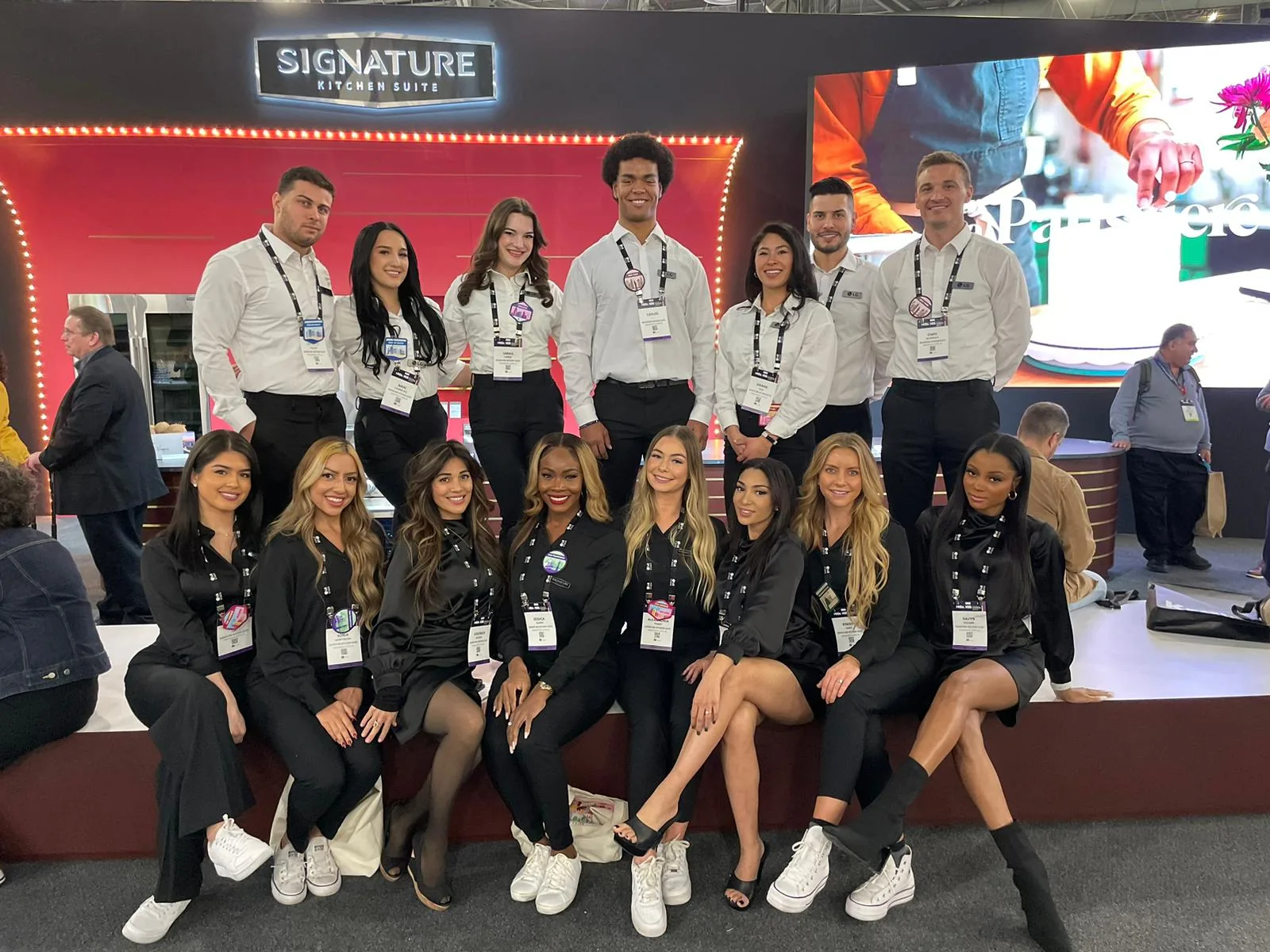
A run of show is only as strong as the people executing it. A professional partner supplies trained, background-checked talent who arrive on their call times, understand cues and can be briefed directly from your document. TLC Models staffs activations and booths nationwide, and the same approach supports large programs such as the work shown in the LG Electronics case study.
Share your draft run of show with us through a booking request and we will match staffing to your call times and breaks. Learn more about event staffing or our trade show staffing for booth programs.
Frequently asked questions
What is a run of show template?
A run of show template is a reusable document that lays out an event minute by minute. It lists times, activities, locations, owners and cues so that everyone works from the same plan. For activations, it should also carry staff call times, breaks and contingencies.
What should a run of show include?
At minimum, include start and end times, the activity, location, a single named owner, the cue that triggers the row and a contingency. For booths and activations, add staff on duty, break windows and a notes field for live updates so the sheet works as a live operating tool.
What does a run of show document look like?
Most look like a table or spreadsheet with time running down the left and columns for activity, owner, location, cue and notes. A good one fits on a few pages, uses consistent time formats and can be read at a glance on a busy floor.
Should I use Excel, Google Sheets or Word?
Use whichever your team will keep current. Excel and Google Sheets suit live edits and filtering by owner or station, and Google Sheets makes sharing simple. Word works well for a printable briefing copy. Whatever you choose, label every version clearly.
How do I manage version control on event day?
Appoint one editor, give everyone else view-only access and number each version. Keep one live cloud copy and a printed copy marked with its version. Announce every change in one team channel, and archive earlier versions instead of deleting them.
How should breaks appear in a run of show?
Put breaks on the sheet as their own rows with a named person covering each station. Stagger them away from expected peak traffic and confirm local labor and venue requirements before finalizing, so no station is left unattended.
- Drafted with AI assistance from TLC's editorial brief; fact-checked by the TLC team before publishing.
- Update log: 2026-10-09 — first draft.
Need staff to run your show?
Staffing an event of this scale?
Tell us the show, the city, and the headcount. We will tell you exactly how we would staff it.